raptor88 App: The APK That Opens the Whole Lobby
The raptor88 app for Android is a 36 MB download that puts 1,800 games, live dealer tables and crash rounds on your phone, all in Ringgit. Take the file here, allow the install once, then sign in with the details you already use.
Reading this on a laptop? The QR code in the panel below opens the same APK link on your phone. 18+ · Play Responsibly
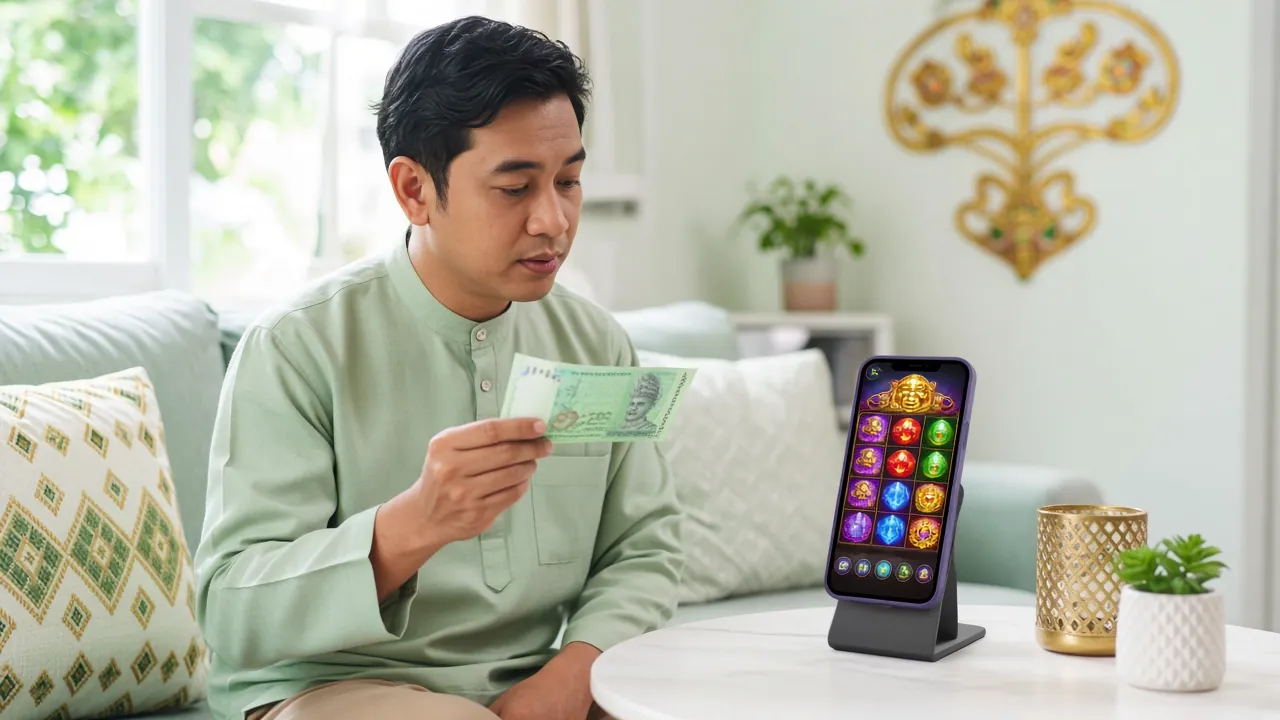
What Changes Once the Icon Is on Your Screen
The app is not a stripped-down version of the site. It is the same account, the same wallet and the same game list, packaged so it opens without a browser tab.
- One login, kept. The session survives closing the app, so checking a crash round on the commute takes two taps.
- Same wallet and bonus. Your RM balance and any welcome bonus progress follow you between phone, tablet and desktop.
- Live chat inside the app. Support runs 24/7 and the chat button does not disappear when you change screens.
- Updates over the top. A newer build installs straight over the old one, keeping your login and settings intact.
Scan with the phone camera to open the APK link directly on that device.
What the App Asks For Before It Installs
A sideloaded app is only as trustworthy as its source. These are the four things raptor88 touches, and the one thing it should never ask for.
-
Storage for the package and its cache
Install writes 36 MB to internal storage, and the lobby art pushes that close to double once you have browsed a few categories. The app reads and writes only its own folder, so photos and documents stay untouched.
-
Network access for live tables and rounds
Every balance check, crash round and live dealer stream needs a connection. Traffic is encrypted end to end, so public wifi works, though mobile data is steadier when a live table has to hold a video feed.
-
Notifications, and only if you want them
Used for deposit confirmations and withdrawal status. Leave it off and you simply check the wallet screen yourself. Nothing is pushed daily unless you switch that on during the first launch.
-
No contacts, messages, calls or location
The app asks for none of these. If an installer screen requests access to SMS, contacts, call logs or GPS, stop and delete the file. That behaviour belongs to a repackaged download, not to the raptor88 build.
Download the APK and Check the File Details
One file, one version number. Match what your phone shows against the table below before you tap through the installer, and you will avoid most of the errors people report.
raptor88.apk · 36 MB · Android 8.0 and newer
| Item | Detail |
|---|---|
| Version | 3.4.9 |
| File size | 36 MB |
| Minimum Android | 8.0 |
| Last updated | 11 November 2026 |
| Price | Free to download and install |
| Languages | English, Bahasa Melayu |
| Games available | 1,800 |
App or Mobile Browser: Which One You Actually Need
Both doors lead to the same account, so this is not a choice you have to lock in. Install the app, keep the browser as a backup, and switch whenever one behaves better on your line.
| Situation | raptor88 app | Mobile browser |
|---|---|---|
| Opening the lobby | Art is cached, tiles open fast after the first load | Fresh download of assets on each new visit |
| Staying signed in | Session holds until you tap Log out | Ends when the tab is closed or the browser clears |
| Deposits in Ringgit | Touch ’n Go, DuitNow, FPX, bank transfer | Same four methods, same credit time |
| Live dealer tables | Full screen and steadier stream switching | Rotation can drop a stream mid-hand |
| Keeping current | Reinstall the APK when a new version lands | Always the newest build, nothing to install |
| Deposit alerts | Push notification if you allow it | None |
Nothing inside the app is exclusive. If a phone is on Android 7 or you are borrowing a device, the browser gives you the whole lobby, all 1,800 titles and the same raptor88 login.
What the App Adds to Your Usual Session
Six differences you notice in the first week, described without the sales language.
Session that stays open
Sign in once on your own phone and the app holds that session. Checking a crash round between meetings no longer means retyping a password on a keyboard the size of a stamp.
One screen for the wallet
Balance, bonus credit and pending withdrawals sit together. Top up with Touch ’n Go eWallet, DuitNow, FPX or bank transfer, and credit usually lands within 3 minutes.
Live chat that follows you
The 24/7 Live Chat button stays on screen across the lobby. If a deposit stalls while you are mid-table on a live dealer hand, you can raise it without losing your seat.
Crash panel with your history
Crash Goal and Aviator rounds get a pinned strip showing your last cash-out point. Useful on a phone, where the multiplier climbs fast and the screen is small.
Lighter lobby on mobile data
Turn off table previews and the lobby loads with fewer images. Sensible on a prepaid plan, where a live dealer stream in the background can eat a chunk of quota.
Withdrawal status in plain words
Requests from RM110 show a status line from pending to paid, with the 3-minute target on the same screen. The daily ceiling of RM5,500 is printed next to it.
What You Can Open on the Phone
The app carries the full 1,800-title lobby from Red Tiger, CQ9, Ezugi, Sexy Gaming and Pragmatic Play. Slots, fishing rounds, lottery-style games, crash and live tables all run inside the same shell.
 Slots
Dragon Fortune
Pragmatic Play · RTP 97.8% · RM0.50 to RM1,000
 Live Casino
Double Exposure Blackjack
Pragmatic Play · RTP 97.1% · RM0.10 to RM2,500
| Also in the app | Provider | RTP | Minimum bet |
|---|---|---|---|
| Cannon Fishing | Red Tiger | 95.7% | RM0.10 |
| Triple | CQ9 | 96.9% | RM0.50 |
| Shaolin Soccer | Ezugi | 96.5% | RM2.00 |
| Crash Goal | Pragmatic Play | 97.5% | RM2.00 |
Want the full list by category before you install? The casino lobby page breaks it down the same way the app does.
Five Steps From Browser to Lobby
Android blocks files from outside the Play Store until you say otherwise. That is the only extra step, and it is a one-time permission.
-
Allow unknown sources
Open Settings, then Apps, then Special access, then Install unknown apps, and allow whichever browser you download with. Wording differs by phone brand, but it always mentions unknown apps.
-
Download the 36 MB file
Tap Download APK on this page and keep the screen awake until it finishes. On weak 4G the file can take a few minutes, and a half-finished download is the most common cause of an install error.
-
Open it from Files
Pull down the notification bar, or open Files and then Downloads, and tap raptor88.apk. If Play Protect offers a scan, let it run to the end before you continue.
-
Install, then open
Tap Install and wait while the package manager unpacks. On first launch the app builds its lobby cache, so give it ten seconds before you decide it feels slow.
-
Sign in or register
Use your usual raptor88 login. New players can deposit from RM45 with Touch ’n Go, DuitNow, FPX or bank transfer and take the 195% first deposit bonus up to RM400.
iPhone Players: Add It to the Home Screen Instead
iOS cannot open an APK file, so there is nothing to sideload. Safari does the next best thing: it pins the lobby to your home screen as a full-screen shortcut that behaves like an installed app.
- Open Safari, not Chrome or an in-app browser, and go to raptor88.my.
- Tap the Share button in the toolbar at the bottom of the screen.
- Scroll the share sheet and choose Add to Home Screen.
- Name the shortcut raptor88 and tap Add. The icon appears with your other apps.
The shortcut opens without an address bar and holds your session the way a tab would. It also updates itself, so there is never a package to re-download when a new build ships.
When the Install Refuses to Finish
Five messages cover almost every failed install on Android. Match the one you see, then work down the third column.
| Message or symptom | Likely cause | What to do |
|---|---|---|
| App not installed | Incomplete 36 MB download, or a phone older than Android 8.0. | Delete the file from Downloads, confirm the Android version under Settings, then About phone, and download again on wifi before retrying. |
| Blocked by Play Protect | The package did not come from the Play Store, so the scanner flags it by default. | Tap More details, then Install anyway. The warning is generic for sideloaded apps and appears once per version. |
| Install button greyed out | Unknown sources was allowed for a different app than the one you used to download. | Return to Install unknown apps and switch the toggle on for that exact browser or file manager, then reopen the APK. |
| Opens, then closes immediately | Leftover cache from an earlier build fighting the new one. | Clear app data under Settings, then Apps, then raptor88, or uninstall completely and install version 3.4.9 fresh. |
| Login rejected after install | Keyboard autocorrect or an old saved password filling the field. | Retype the password slowly, use the eye icon to check it, and if it still fails, reset through the login page. |
Questions About the raptor88 App
Is the raptor88 APK safe to install?
Which Android versions does the app support?
Why does my phone warn me about an unknown app?
How do I update to a newer version?
Can I install it on an iPhone?
Do I need a separate account for the app?
Can I remove the app and keep my balance?
This is a gambling app, and it is meant for adults spending entertainment money, not money set aside for rent or family. Decide on a monthly figure before you deposit, and stop when that figure is used up, even if a session feels like it is turning.
The responsible gaming page has deposit limits, session reminders and self-exclusion requests if a break would help. Chat support is available 24/7 and will action a limit without asking why.
The app stores only your session and cache on the device; payment details are handled on our servers over an encrypted connection and are never written to the APK’s local storage. Full details sit in the privacy policy.